
Tech News
Google Pixel 10 and 11 Introduce AI-Powered Battery Usage Summaries

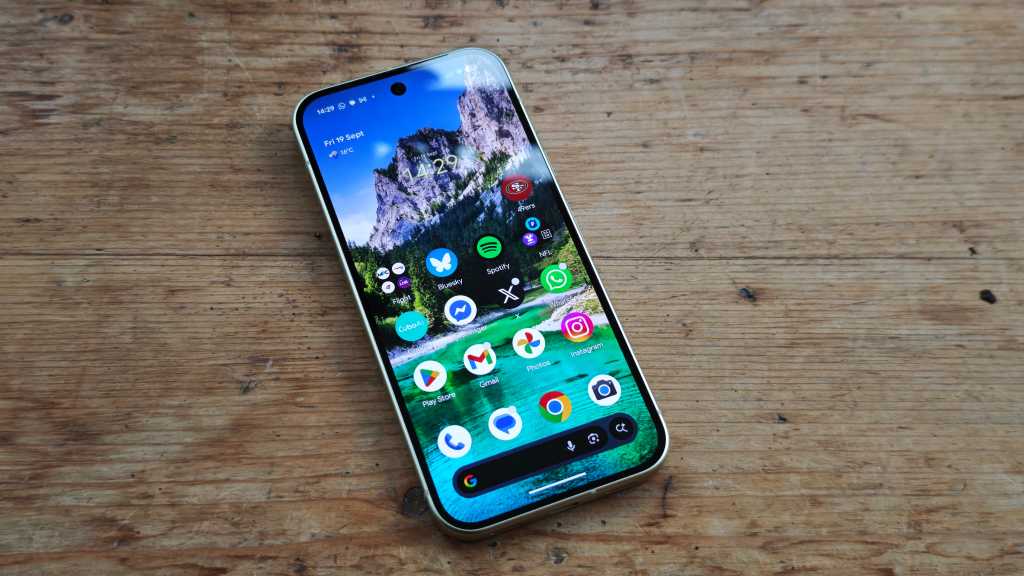
Introducing Battery Usage Summaries for Google Pixel 10 and Pixel 11 Users
Google has officially started rolling out a new feature called Battery Usage Summaries for Google Pixel 10 and Pixel 11 users in the latest AI Core update. This feature is separate from the recently announced September Android Drop, which includes five new features.
Battery Usage Summaries are designed to simplify the complex data related to your phone’s battery usage into easy-to-understand language. They provide a comprehensive overview of how your phone utilizes its battery power.
Understanding Battery Usage Summaries
When you navigate to the Battery section in the Settings menu, you will now see a concise summary of how your phone is utilizing its battery. This summary highlights power-intensive apps that may drain your battery quickly, as well as your overall phone usage patterns.
According to Google, these summaries provide only the most essential information to users, ensuring a straightforward and user-friendly experience. They aim to help users identify apps that consume excess power and assess their phone usage habits.
If you own one of Google’s latest smartphones, this feature is enabled by default. However, you can disable it by accessing Settings > Battery & charging > Battery Usage, tapping on the More button, and selecting Battery Usage Summaries.













iPhone Duo Production Surges by 44% to Meet High Demand

Pushing the Limits: Customizing Our Ultimate 2027 BMW 3 Series

AMD’s FSR 4.1 Enhancements Coming to Xbox Consoles and Handhelds

Introducing Kindle Plus: Your All-in-One Reading and Listening Experience

Solidarity in Ashes: A Charcoal Tale of Love and Rebellion

Android 17’s Advanced Security Feature: Safeguarding Stolen Phones

Mastering Property Damage Insurance Claims: A Guide to Navigating the Process

Tech Giants OpenAI, Anthropic, and Nvidia Break Records with Lobbying Quarters

Important Update: Permanent Daylight Saving Time Implemented in Parts of Canada for Android Users

EU Takes Action Against Instagram and Facebook for Violating Illegal Content Rules

Warning: Facebook Creators Face Monetization Loss for Stealing and Reposting Videos

Facebook’s New Look: A Blend of Instagram’s Style

Facebook Compliance: ICE-tracking Page Removed After US Government Intervention

Facebook and Instagram to Reduce Personalized Ads for European Users

InstaDub: Meta’s AI Translation Tool for Instagram Videos

Reclaim Your Account: Facebook and Instagram Launch New Hub for Account Recovery

Meta discontinues Messenger apps for Windows and macOS

Breaking Updates: Meta Connect 2025 Unveils Latest Developments

Should you buy your Smartphones Refurbished!?

6 Amazing SECRET Android Launchers (2017 / 2018)

6 Value for Money Tech Products you NEED to try!

iPhone X Helicopter 1200ft Drop Test!! + Mous Case Review

7 UNBELIEVABLE Smartphone Magic Tricks!

Oneplus 5T vs Oneplus 1 – 3 Years Later.

Top 20 BEST Smartphones of 2017!

5 Amazing Upcoming Smartphone Features – 2018 / 2019

ULTIMATE Power Banks / The Best Power Banks (2017-2018)
-
 Facebook12 months ago
EU Takes Action Against Instagram and Facebook for Violating Illegal Content Rules
-
 Facebook1 year ago
Warning: Facebook Creators Face Monetization Loss for Stealing and Reposting Videos
-
 Facebook11 months ago
Facebook’s New Look: A Blend of Instagram’s Style
-
 Facebook1 year ago
Facebook Compliance: ICE-tracking Page Removed After US Government Intervention
-
 Facebook11 months ago
Facebook and Instagram to Reduce Personalized Ads for European Users
-
 Facebook1 year ago
InstaDub: Meta’s AI Translation Tool for Instagram Videos
-
 Facebook11 months ago
Reclaim Your Account: Facebook and Instagram Launch New Hub for Account Recovery
-
 Apple1 year ago
Meta discontinues Messenger apps for Windows and macOS
